

 Return to
 Free Custom Online Project Calendar Software for Small Business Success

Additionally, another deadline missed. Also, another client disappointed. Indeed, another late night scrambling to reorganize your team’s priorities. Clearly, if this sounds familiar, you’re not alone. However, small businesses everywhere struggle with chaotic workflows and disorganized project tracking. So, the solution? Finally, project calendar software that’s designed specifically for the way small teams work. Undoubtedly, ClearCRM offers exactly that—a free, customizable online project calendar that transforms chaos into clarity.
The Challenge: Why Small Businesses Struggle with Project Management
Likewise, managing projects without proper tools is like trying to build a house with just a hammer. Conversely, you might make progress, but it won’t be efficient, and the results will suffer. Nevertheless, here’s what we see happening with small businesses every day:
Missed Deadlines and Broken Promises
Still, when your project calendar exists across multiple platforms—sticky notes, spreadsheets, email threads, and team members’ memories—things inevitably fall through the cracks. Yet, a local marketing agency we worked with was missing 30% of their client deadlines before implementing proper project calendar software, damaging their reputation and losing valuable repeat business.
Disorganized Workflows
Similarly, without a centralized task scheduling system, team members waste hours each week just figuring out what they should be working on. Likewise, they duplicate efforts, miscommunicate priorities, and spend valuable time in unnecessary status meetings instead of doing productive work.
Poor Customer Tracking
When project management is disconnected from customer information, you miss opportunities to delight clients. An event planning company we partnered with couldn’t easily access client history during project execution, leading to repeated questions and missed personalization opportunities that would have strengthened relationships.
Limited Scalability
Many small businesses start with basic tools that work for a handful of projects. But as they grow, these systems buckle under increased complexity. What worked for 5 projects fails completely at 15, creating a painful transition period that can stall growth just when momentum is building.

How ClearCRM’s Project Calendar Software Solves These Challenges
ClearCRM was built specifically to address the unique challenges small businesses face with project management. Our approach combines simplicity with powerful features that grow with your business.
Centralized Task Scheduling
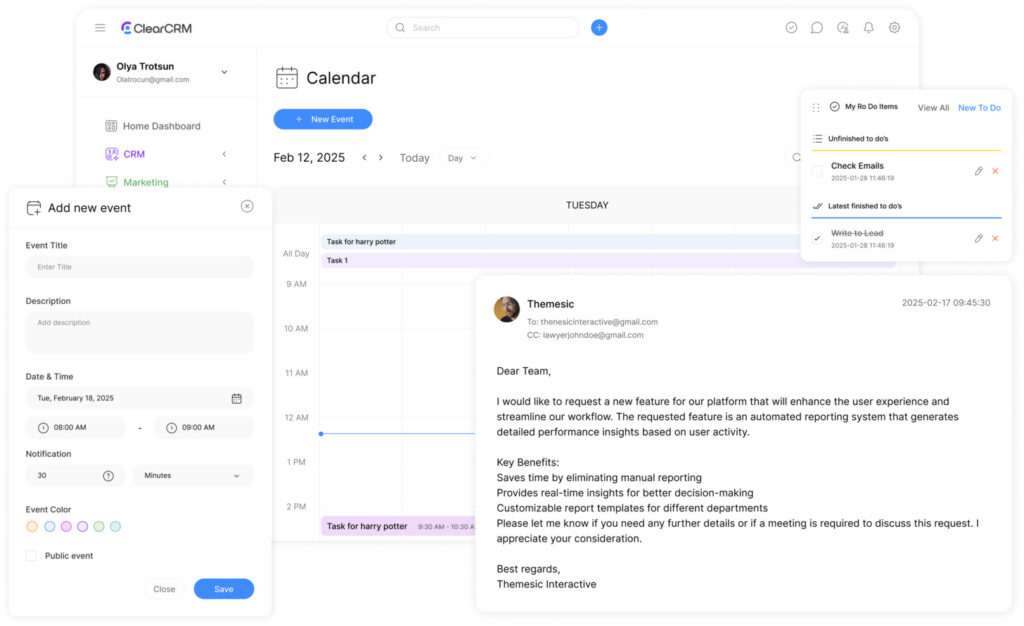
All your projects, tasks, and deadlines live in one place that’s accessible to everyone on your team. No more scattered information or confusion about priorities. The drag-and-drop interface makes reorganizing work simple when priorities shift.
Real-Time Team Calendar
Your team calendar updates instantly when changes are made, ensuring everyone has the latest information. Color-coding and filtering options make it easy to focus on what matters to each team member, while maintaining the big picture view for managers.
Integrated CRM
Unlike standalone project tools, ClearCRM connects your project calendar directly to your customer data. Access client history, preferences, and communication logs right alongside your project tasks—creating seamless customer experiences without switching between systems.
Ready to bring order to your project chaos?
Get started with ClearCRM’s free project calendar today. No credit card required, no complicated setup.
Real-World Success: How a Boutique Event Planner Streamlined Their Workflow

The Problem
Celebrations by Design, a boutique event planning company with 6 team members, was struggling to keep up with their growing client base. Their challenges included:
- Double-booked vendors due to calendar confusion
- Missed client follow-ups that damaged relationships
- Inability to quickly access event history when clients called
- Team members working in silos with no visibility into each other’s progress
The Solution
After implementing ClearCRM’s project calendar software, the team transformed their operations:
- They created a master event calendar with color-coded categories for different event types and clients
- Set up automated reminders for client follow-ups and vendor confirmations
- Integrated client history and preferences directly into event planning tasks
- Established a team dashboard showing everyone’s workload and availability
“Before ClearCRM, we were constantly putting out fires and apologizing to clients. Now we’re proactive instead of reactive. Our team is less stressed, our clients are happier, and we’ve increased our capacity by 40% without adding staff.”
Measurable Benefits That Deliver Real Results
When small businesses implement ClearCRM’s project calendar software, they see concrete improvements across their operations. Here’s what you can expect:
Reclaimed Productive Time
Teams save an average of 12+ hours per month previously spent on manual updates, searching for information, and unnecessary status meetings. That’s 144 hours per year that can be redirected to revenue-generating activities.
Improved Client Satisfaction
With 40% fewer missed deadlines and better client communication, businesses report a 35% increase in repeat business and referrals after implementing ClearCRM’s project calendar software.
Enhanced Team Collaboration
88% of teams report improved communication and reduced friction when everyone has visibility into project timelines, task assignments, and priorities.

Why ClearCRM’s Project Calendar Software Outperforms Competitors
Not all project management tools are created equal. Here’s how ClearCRM compares to other options on the market:
| Features | ClearCRM | TaskMaster Pro | ProjectFlow |
| Free Plan Availability | ✓ Forever free plan | ✗ 14-day trial only | ✓ Limited to 3 projects |
| Project Capacity | Unlimited projects | Limited by tier | Capped at 10 in basic plan |
| CRM Integration | ✓ Built-in | ✗ Requires add-on | ✗ Third-party only |
| Team Calendar | ✓ Real-time updates | ✓ Basic calendar | ✓ Premium plans only |
| Task Scheduling | ✓ Drag-and-drop | ✓ Manual entry | ✓ Limited flexibility |
| Setup Time | 1-2 hours | 30-60 minutes | |
| Learning Curve | Minimal | Steep | Moderate |
ClearCRM Advantages
- Truly free plan with no artificial limitations
- Built-in CRM eliminates need for multiple systems
- Designed specifically for small business workflows
- Intuitive interface requires minimal training
- Scales seamlessly as your business grows
Competitor Limitations
- “Free” plans that severely restrict functionality
- Separate costs for CRM and project management
- Complex interfaces designed for enterprise users
- Steep learning curves that slow adoption
- Pricing models that penalize growth
Key Features of ClearCRM’s Project Calendar Software
Intuitive Task Scheduling
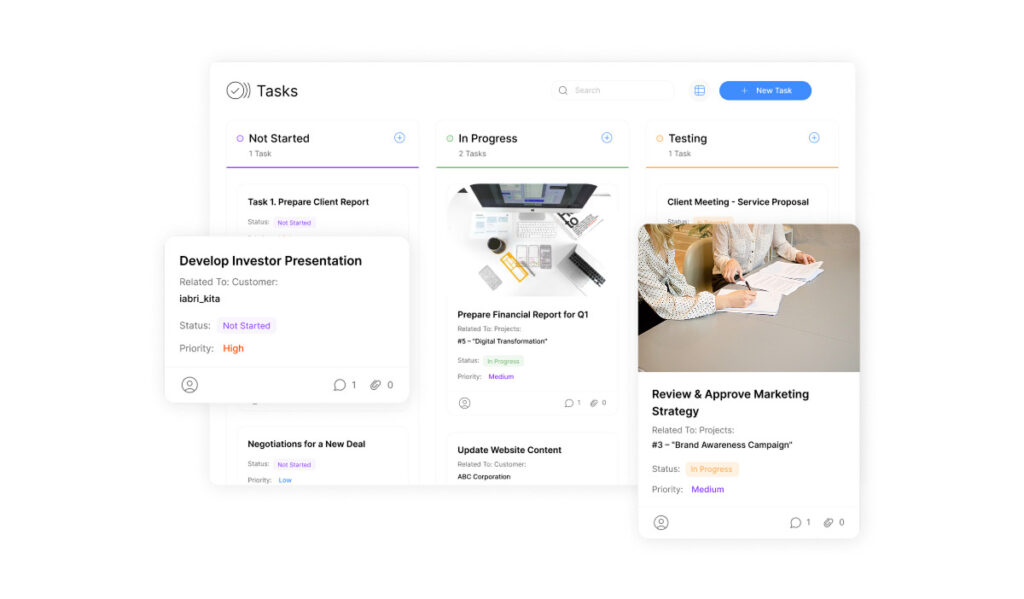
Drag-and-drop interface makes it easy to create, assign, and reschedule tasks. Set priorities, deadlines, and dependencies with just a few clicks. Filter views by team member, project, or status to focus on what matters most.
Comprehensive Team Calendar
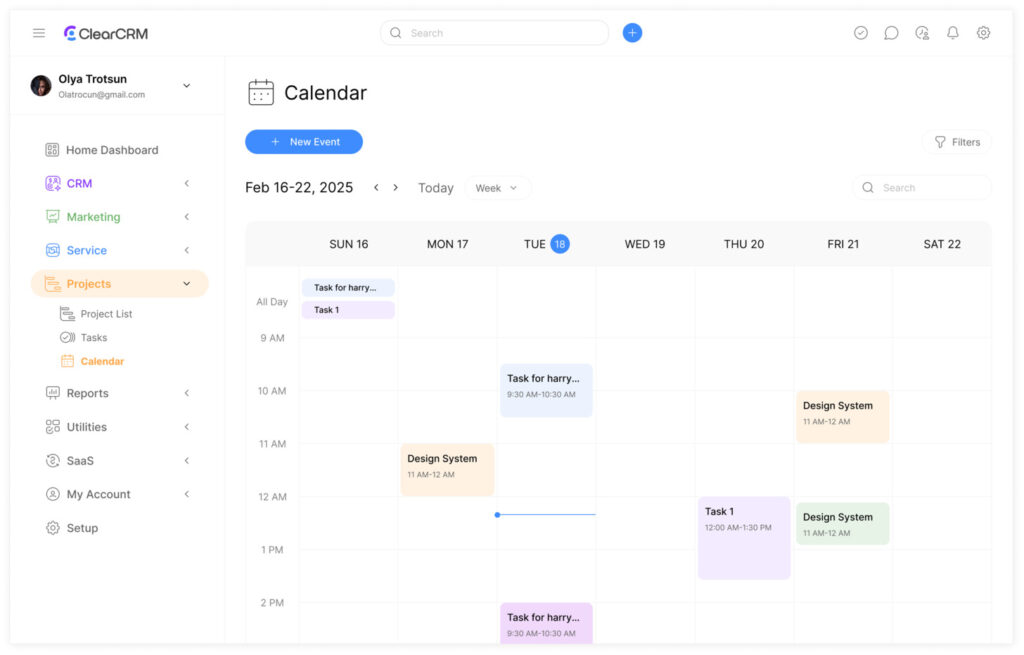
Get a bird’s-eye view of your entire team’s workload and availability. Identify potential bottlenecks before they happen and reallocate resources to keep projects on track. Sync with Google Calendar and Outlook for seamless integration.
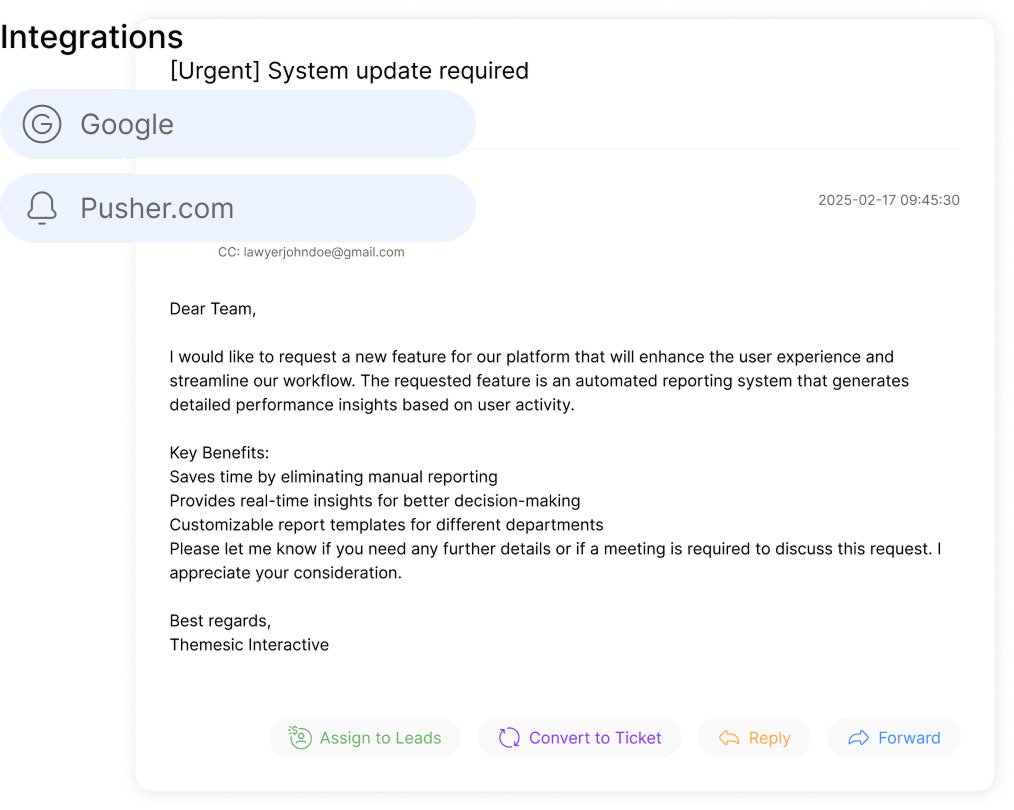
Seamless CRM Integration
Connect projects directly to customer profiles for context-rich task management. Access communication history, preferences, and past project details without switching systems. Create consistent customer experiences across every interaction.
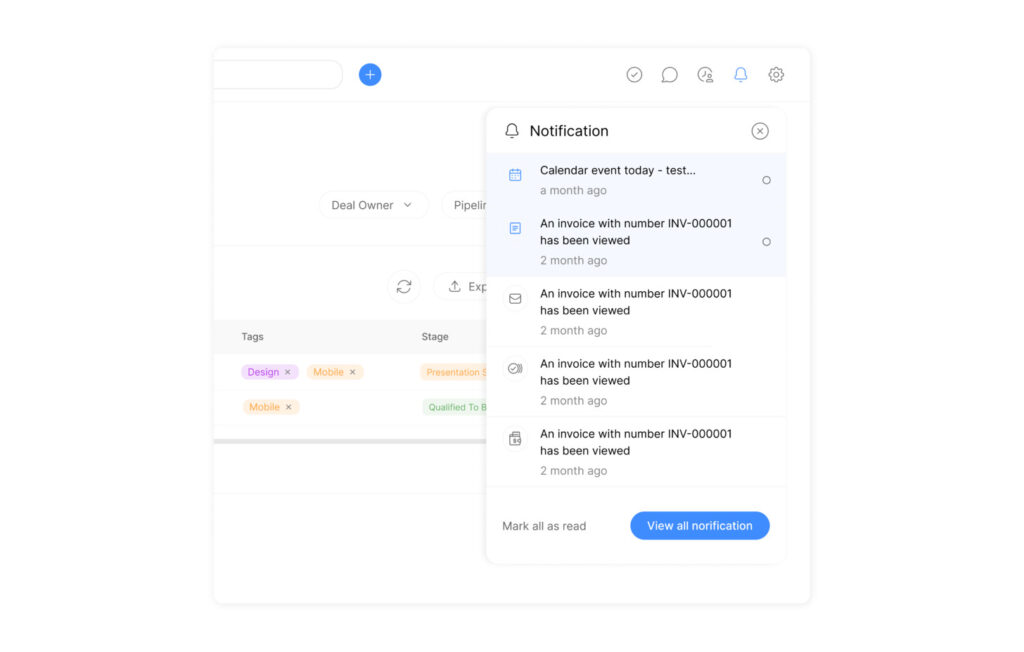
Automated Reminders
Never miss a deadline again with customizable notifications for upcoming tasks, milestones, and follow-ups. Set team or individual reminders that arrive via email, SMS, or in-app alerts based on your preferences.
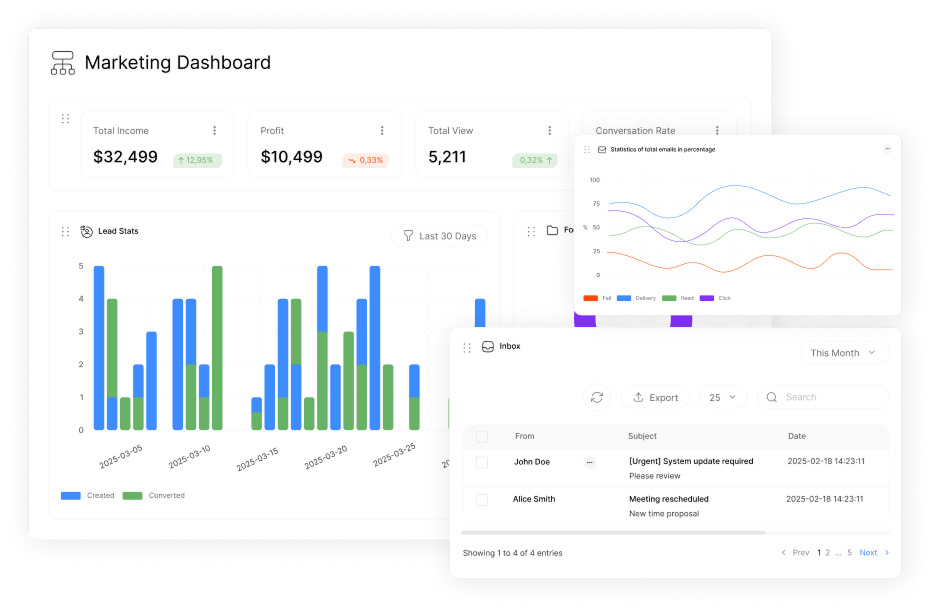
Insightful Reporting
Track project progress, team performance, and resource utilization with easy-to-understand reports. Identify trends and opportunities for improvement with historical data analysis. Share reports with stakeholders in just a few clicks.
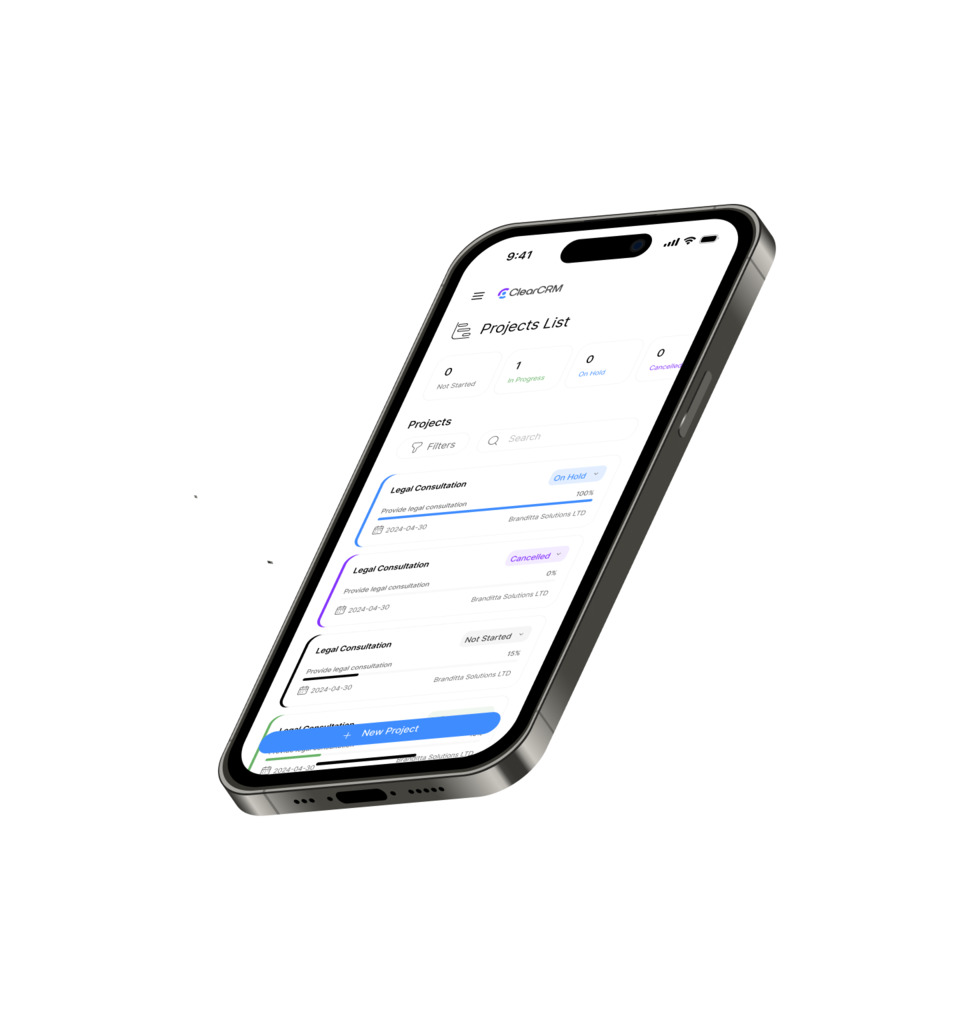
Mobile Accessibility
Manage your projects from anywhere with our fully-featured mobile app. Update task status, check team progress, and respond to notifications on the go. Keep your business moving forward even when you’re away from your desk.
How to Get Started with ClearCRM’s Project Calendar Software
Getting up and running with ClearCRM is quick and painless. Most teams are fully operational within 15 minutes of signing up.
1. Create Your Free Account
Sign up with your email address—no credit card required. Choose a password and you’ll immediately gain access to your new project calendar dashboard.
2. Set Up Your First Project
Use our guided setup wizard or start from one of our industry-specific templates. Add team members, create your first tasks, and establish key milestones.
3. Invite Your Team
Send email invitations to team members with a single click. They’ll receive instructions to join your workspace and can start collaborating immediately.
Frequently Asked Questions
Is ClearCRM’s project calendar software really free?
Yes! Our free plan includes unlimited projects, basic task scheduling, team calendar, and CRM integration. It’s perfect for small teams and will never expire. We offer premium plans with advanced features for growing businesses, but you can stay on the free plan as long as you like.
How long does it take to set up?
Most teams are up and running within 15 minutes. Our intuitive interface and guided setup process make it easy to create your first project and start inviting team members right away. If you need help, our support team is available via chat during business hours.
Can I import data from other tools?
Absolutely! ClearCRM supports importing tasks, projects, and customer data from popular tools like Excel, Google Sheets, Trello, Asana, and more. Our import wizard will guide you through the process step by step.
What if my team grows beyond the free plan?
Our pricing scales with your business. When you’re ready for more advanced features or additional users, you can upgrade to one of our affordable premium plans. The transition is seamless—all your existing data and projects remain intact.
What Our Customers Say About ClearCRM’s Project Calendar Software
“We tried three different project management tools before finding ClearCRM. It’s the only one that didn’t require an engineering degree to set up. Our team was productive from day one, and we’ve reduced our weekly planning meetings from two hours to 30 minutes.”
“The integrated CRM is a game-changer. Being able to see client history alongside project tasks helps us deliver more personalized service. Our clients notice the difference, and we’ve increased our retention rate by 28% this year alone.”
“As a solo consultant who juggles multiple clients, ClearCRM’s project calendar keeps me organized without overwhelming me with features I don’t need. The mobile app lets me update project status while on client sites, which has been invaluable.”

Transform Your Workflow with ClearCRM’s Project Calendar Software
Small businesses don’t need to struggle with missed deadlines, chaotic workflows, and disconnected customer information. ClearCRM’s project calendar software provides an all-in-one solution that’s powerful enough to organize your entire business, yet simple enough for your whole team to adopt without resistance.
With our forever-free plan, there’s no risk in getting started today. Join thousands of small businesses that have transformed their operations with ClearCRM’s project calendar software.
Ready to bring clarity to your projects?
Transform chaos into clarity with our free project calendar software—no credit card required.